Side project · Connect IQ

I built my own watch face. Then I built it again.

A side project in Monkey C. Sketched it in a notebook, built it as Clay, liked the layout but not the colours, and rebuilt it as Recon.

Monkey C Connect IQ SDK Forerunner 970 454×454 AMOLED Sideloaded over MTP
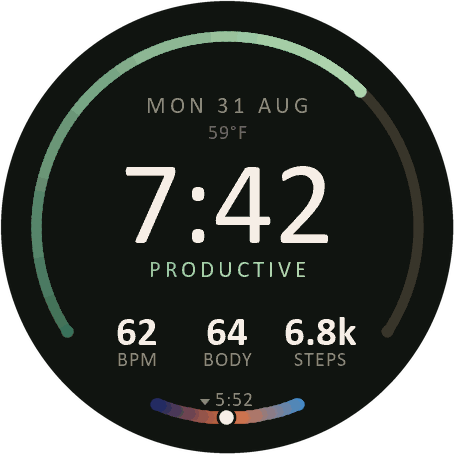
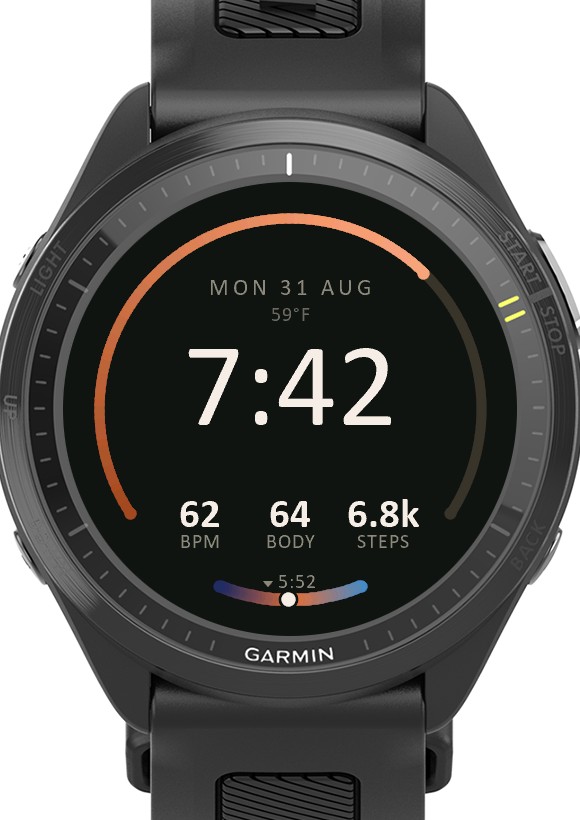
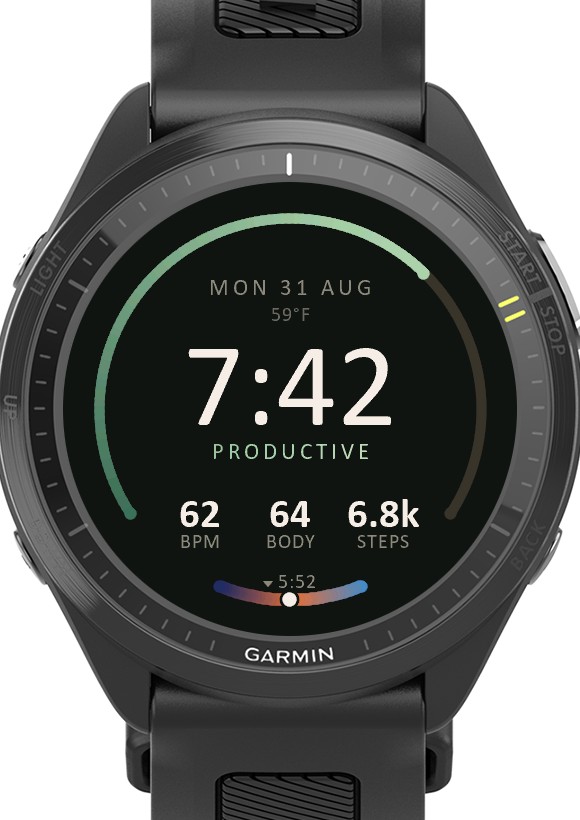
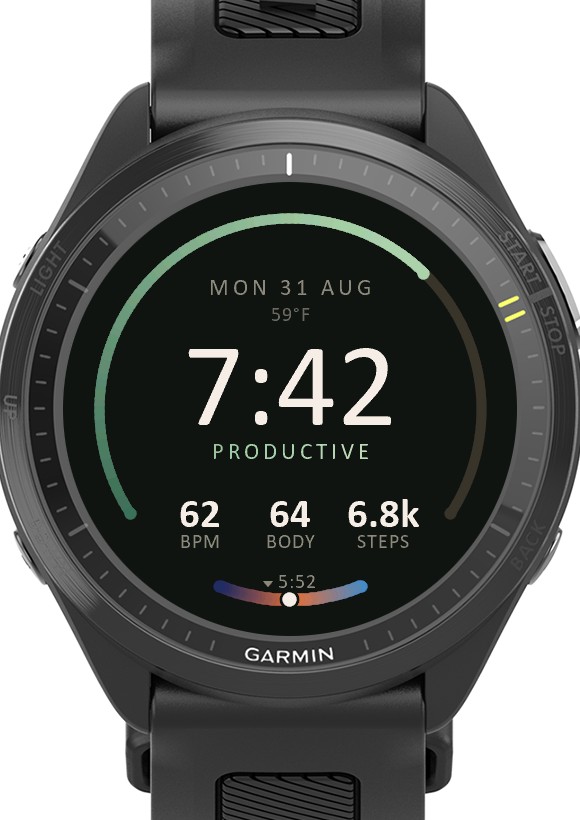
Clay watch face on a Forerunner 970: 7:42 in large numerals, a green progress arc up the left side, the word PRODUCTIVE, a row reading 62 BPM, 64 BODY, 6.8k STEPS, and a small painted sky dial at the bottom
Clay Build one · the sketch, honoured

Nine warm ramps, one per training status, and a sky dial painted from real sunrise and sunset times.

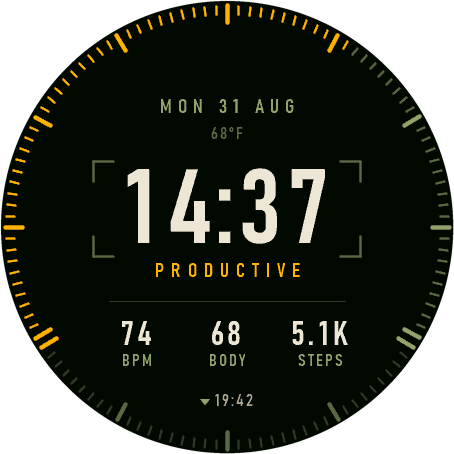
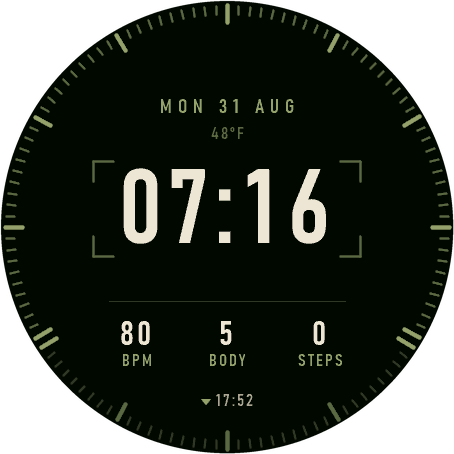
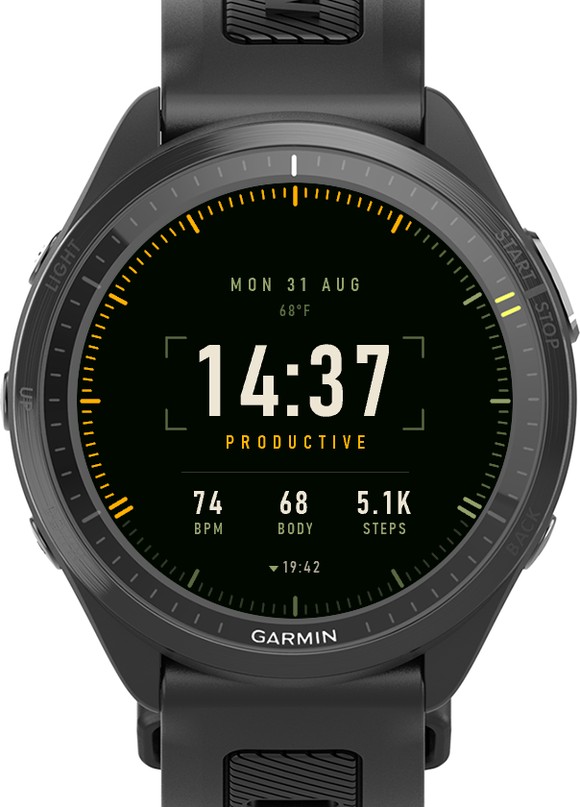
Recon watch face on a Forerunner 970: 14:37 in condensed DIN numerals inside a corner reticle, 120 amber graduations round the bezel, the word PRODUCTIVE, and a row reading 74 BPM, 68 BODY, 5.1K STEPS
Recon Build two · the one I wear

Same baselines to the pixel. Three signals instead of nine ramps, and the sky dial deleted.

The design page

It started on paper.

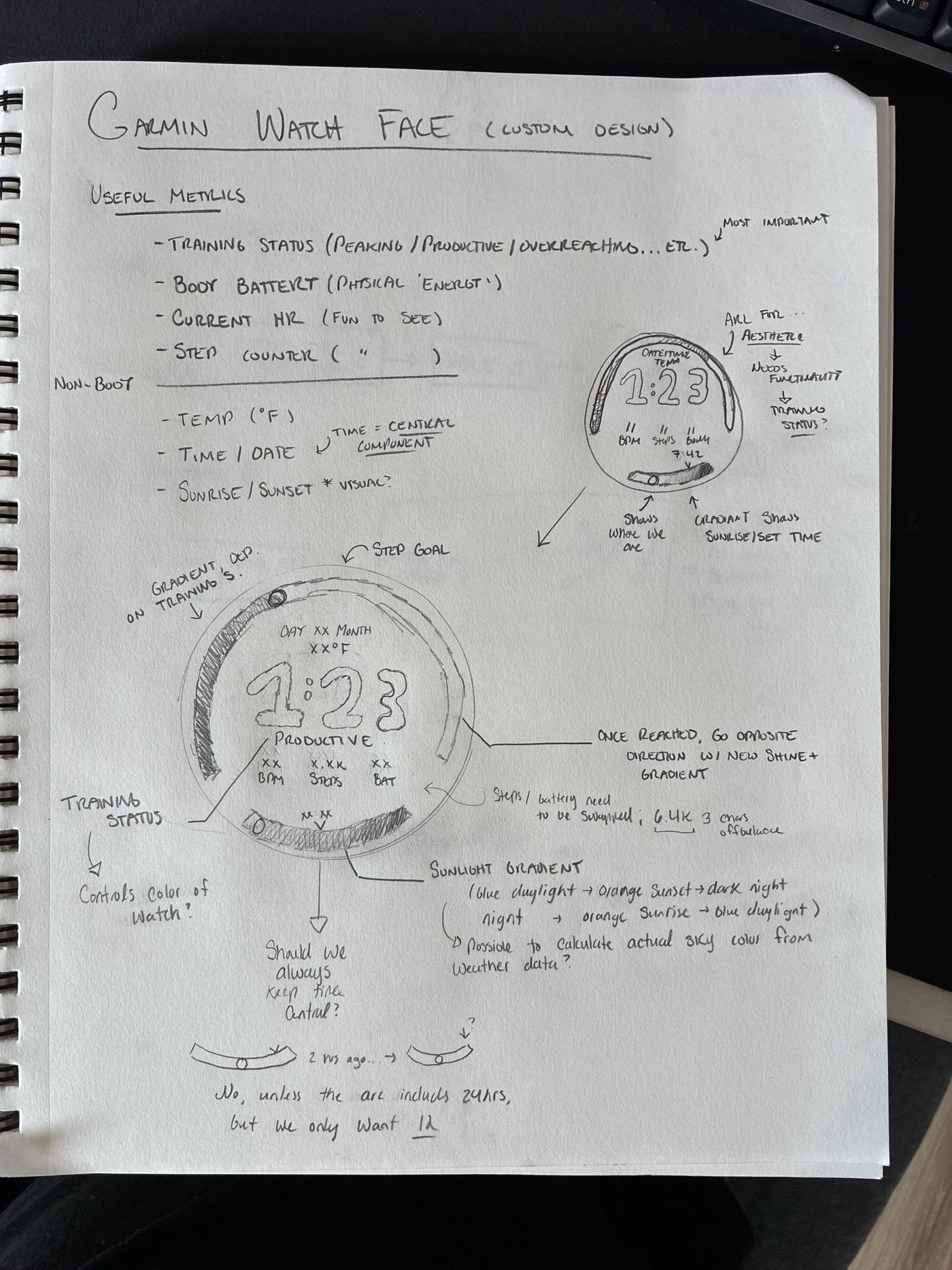
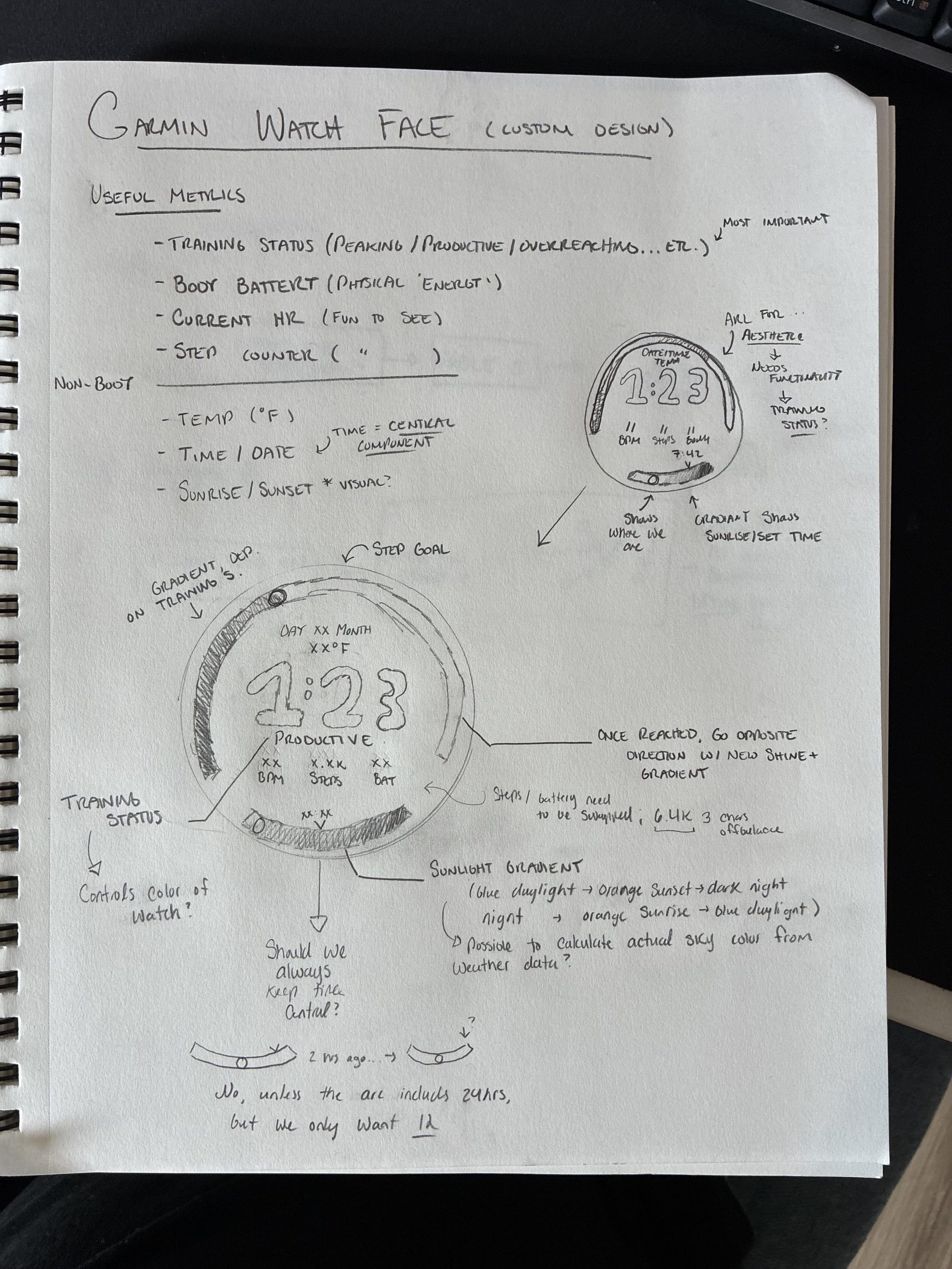
My old face had four numbers I kept swiping to find and a dozen I never looked at. I plan this kind of thing on paper now, away from the computer. Agentic coding goes much better when I sit down already knowing exactly what I want and how to get there, so the agent is implementing decisions instead of making them.

A handwritten notebook page headed Garmin Watch Face, custom design. A list of useful metrics divided into body and non-body groups, two sketches of a round watch face with outer arcs, and annotations about the step-goal arc, the sunlight gradient, and whether the time should always stay central.
The design page. Both builds came off this one sheet. Open the full-size scan to read the handwriting.
List 01 · Body

Four readings, one that outranks the rest.

Training status is marked most important on the page. The other three are the ones I check without thinking.

Training status Body battery Current HR Steps
List 02 · Non-body

Time is the central component.

Circled on the page. Sunrise and sunset get an arc of their own rather than a line of text.

Time / date Temperature Sunrise / sunset
Answered in pencil

“Should we always keep time central?”

No, unless the arc includes 24 hours, but we only want 12. Written at the bottom of the page before the build, and it held.

Anatomy

Drawn, then built.

An arc for the goal you are chasing, an arc for the light you have left, and the time in the middle.

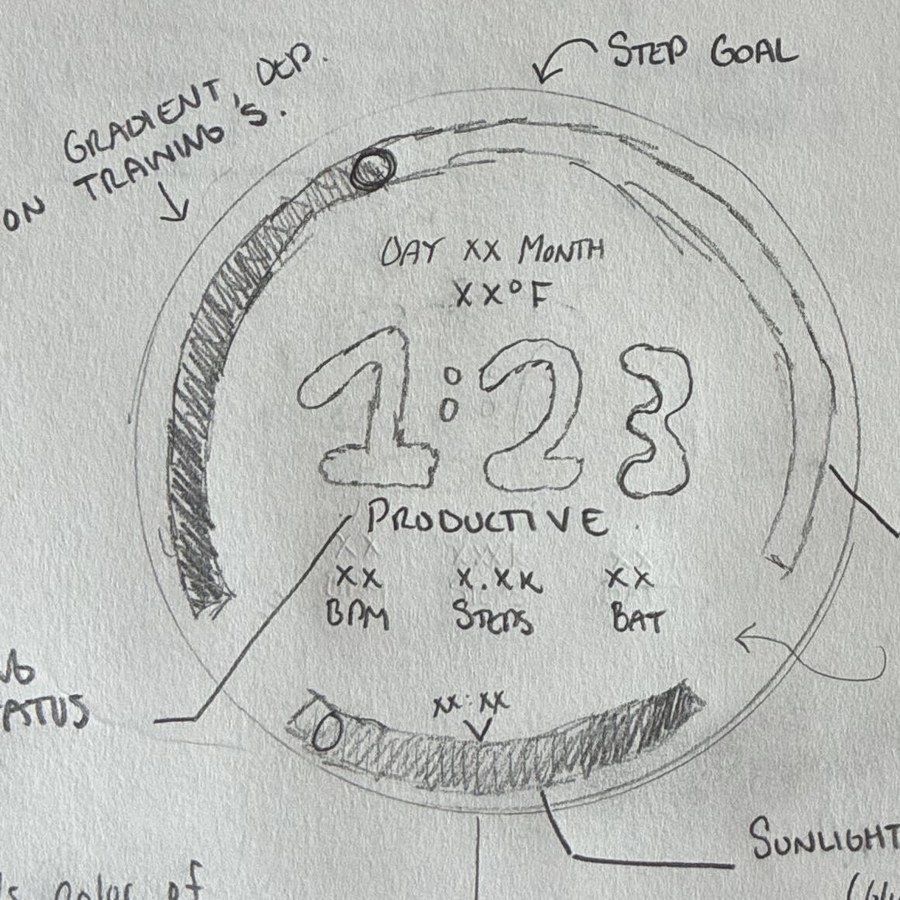
Drawn The second sketch on the design page.
A pencil sketch of a round watch face: a hatched step-goal arc round the outside with a small circle marking the current position, DAY XX MONTH and XX degrees F above a large 1:23, the word PRODUCTIVE under it, three readouts labelled BPM, STEPS and BAT, and a hatched sunlight arc across the bottom
Built Clay on the Forerunner 970. Simulator capture, 454×454, 1:1.
The Clay watch face screen: 7:42 centred, a green step arc up the left side, the word PRODUCTIVE, three readouts, and a painted sky dial at six o’clock

The paper held. The only thing that moved was the row order: the sketch had steps in the middle, the face puts heart rate, body battery, steps.

Build one

Clay.

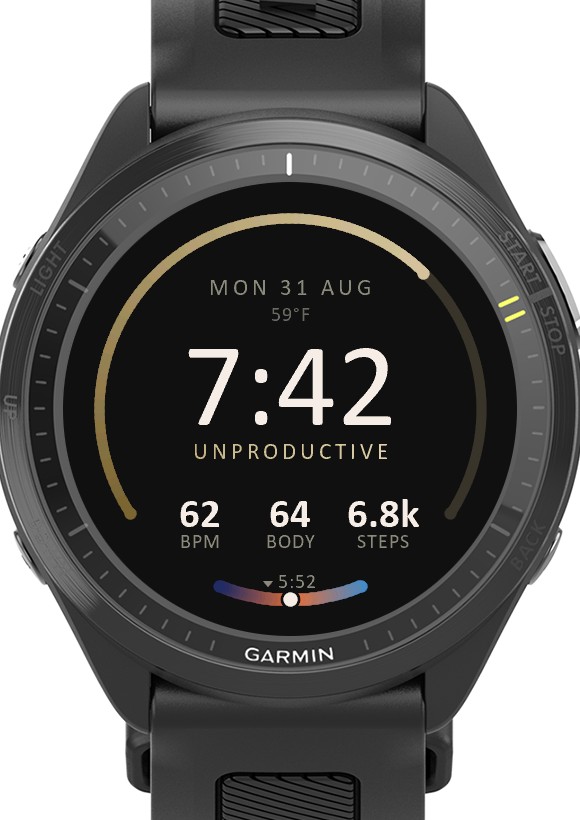
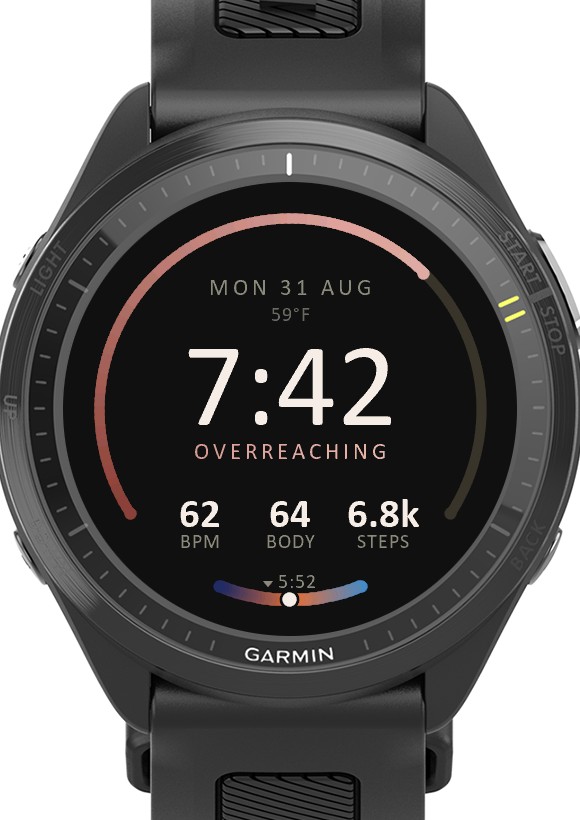
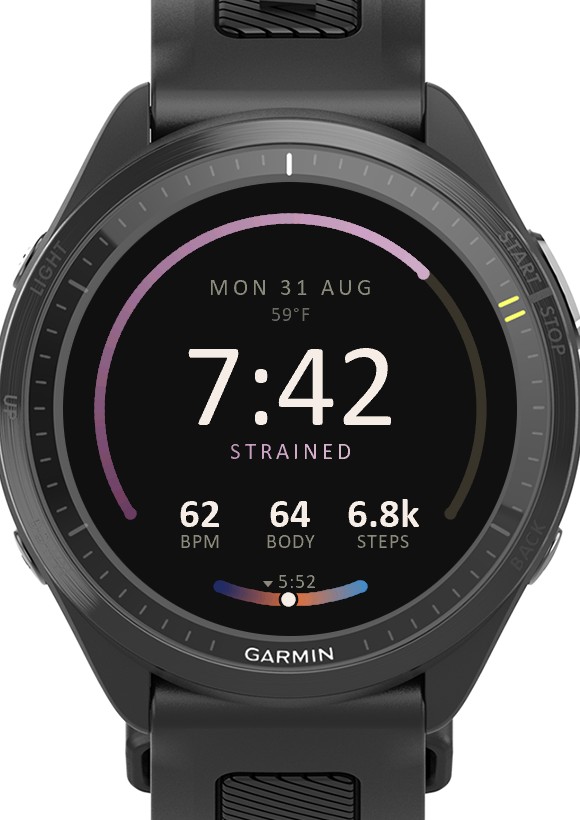
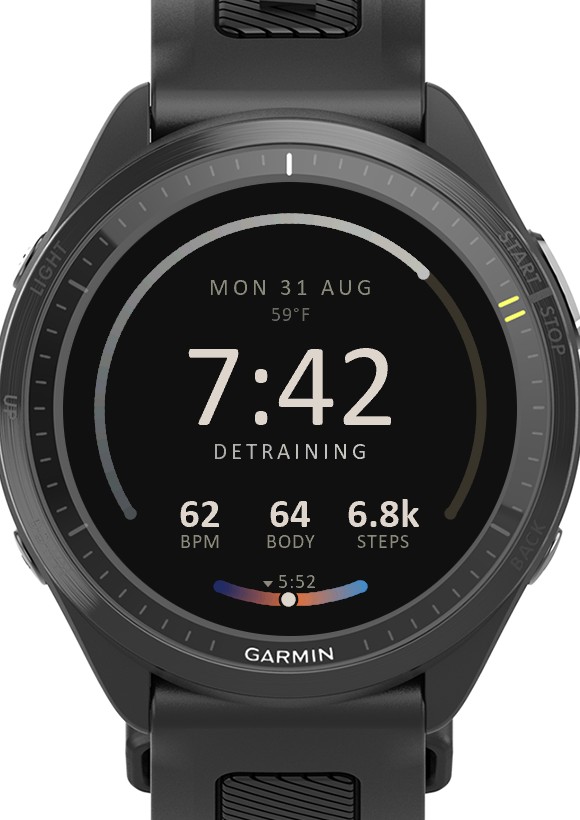
The sketch, built as drawn. Nine training statuses, so nine warm ramps, plus a sky dial at six o’clock painted from real sunrise and sunset times.

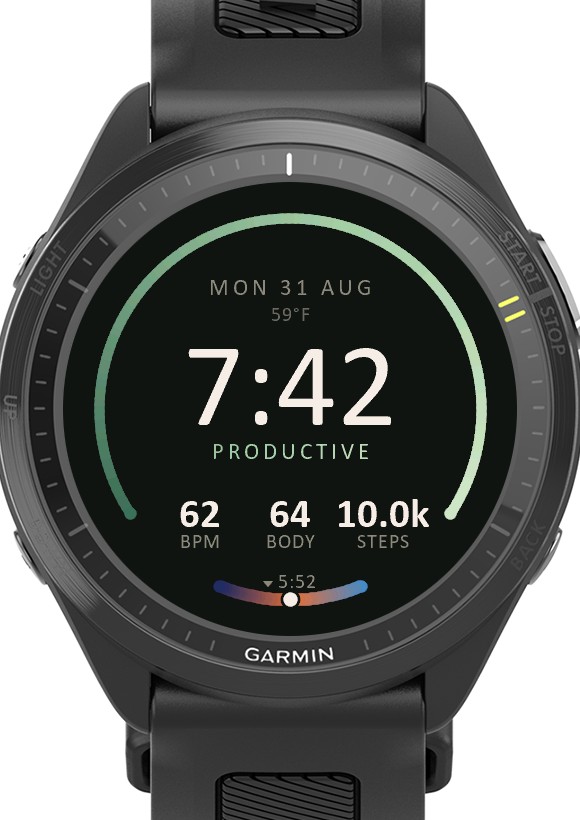
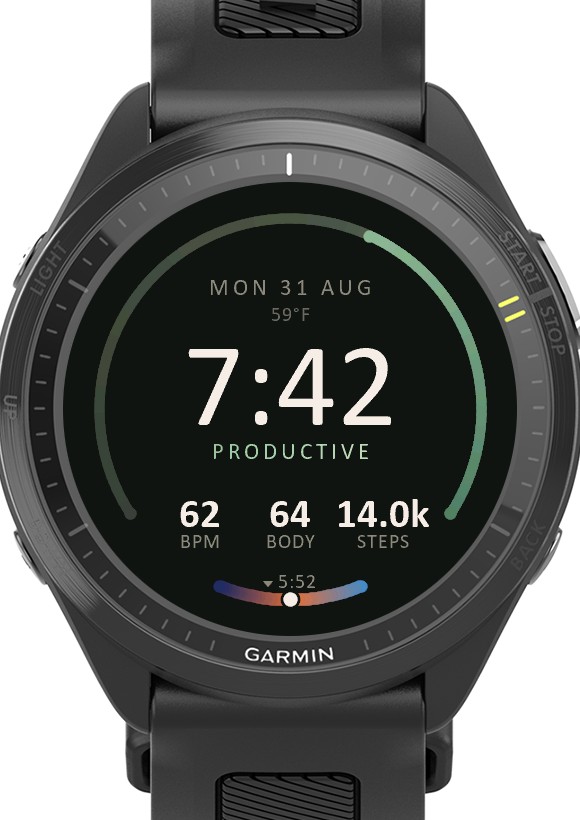
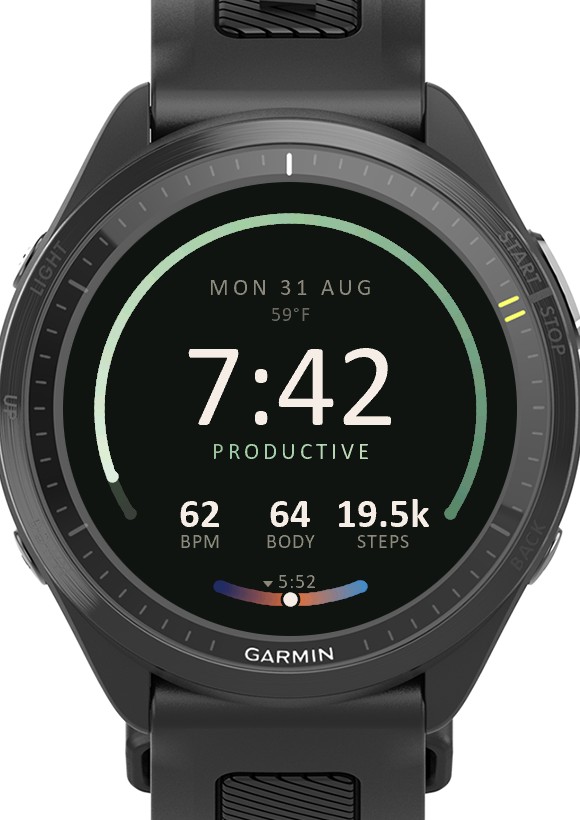
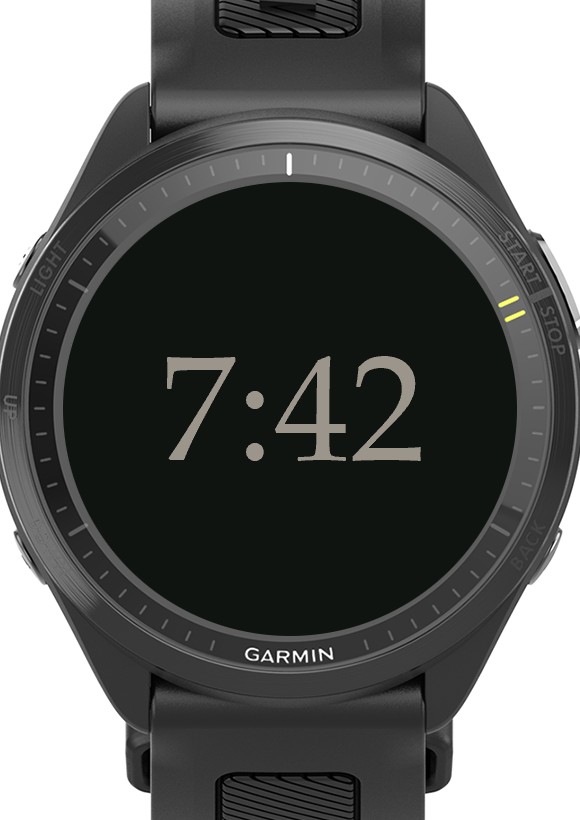
Thirteen states Nine training statuses, the goal reached, two overshoots, and the ambient face.
  • Clay showing 7:42 with an orange progress arc and no training status word
  • Clay showing the status word PRODUCTIVE under the time, with a green progress arc
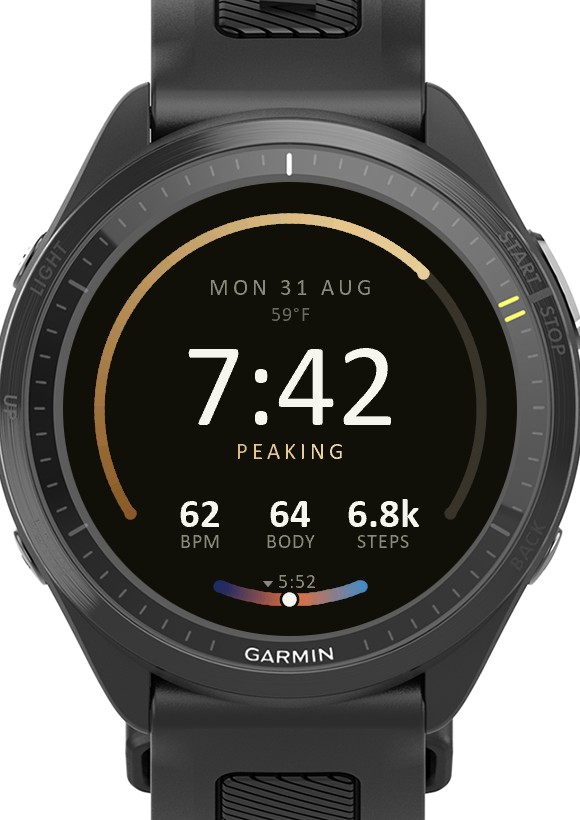
  • Clay showing the status word PEAKING with a gold progress arc
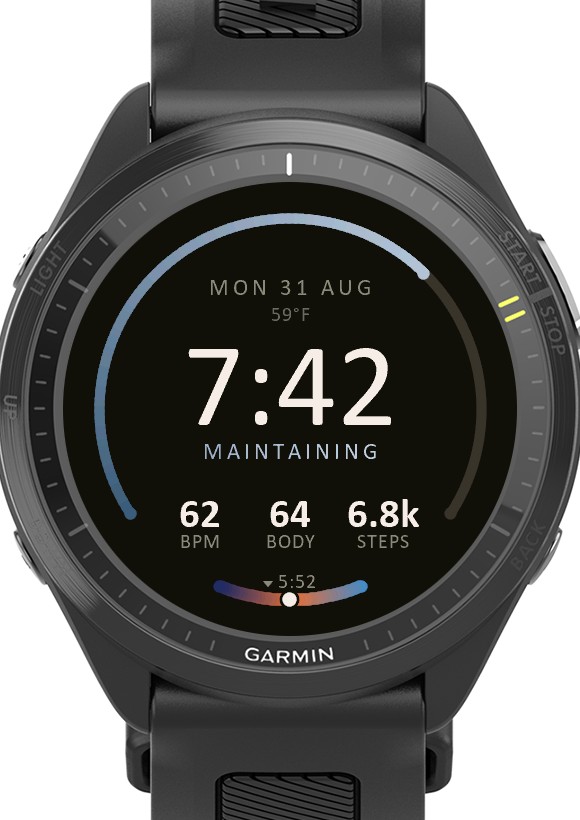
  • Clay showing the status word MAINTAINING with a pale blue progress arc
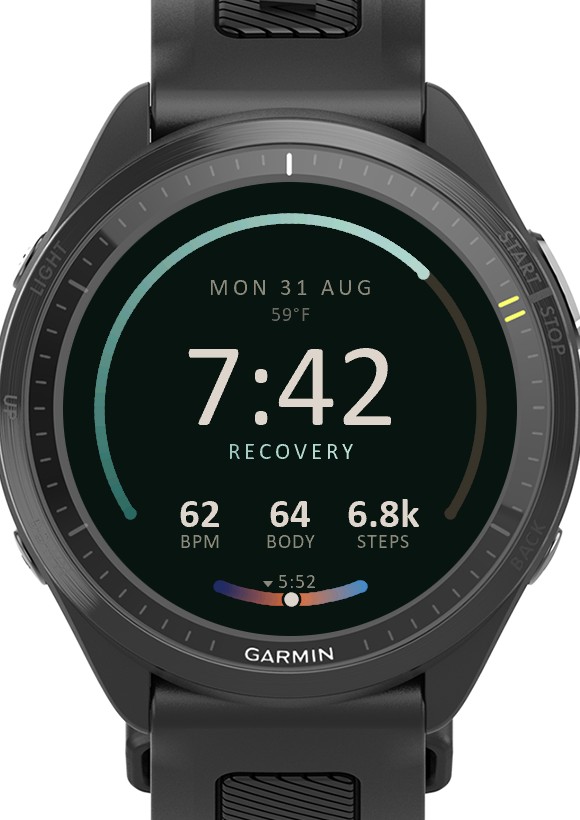
  • Clay showing the status word RECOVERY with a teal progress arc
  • Clay showing the status word UNPRODUCTIVE with a sand-coloured progress arc
  • Clay showing the status word OVERREACHING with a red progress arc
  • Clay showing the status word STRAINED with a violet progress arc
  • Clay showing the status word DETRAINING with a cold steel progress arc
  • Clay showing 10.0k steps with the progress arc filled
  • Clay showing 14.0k steps with a dim completed arc behind a brighter partial second arc
  • Clay showing 19.5k steps with the second-pass arc nearly complete
  • Clay in always-on mode: a dim 7:42 on black with nothing else drawn
Swipe, or use the arrows 01 / 13
Build two

Recon

Same information, same layout, rebuilt as an instrument panel · the one I actually wear

The Recon watch face screen: 14:37 in condensed tabular numerals inside an olive corner reticle, amber graduations round two thirds of the bezel, the word PRODUCTIVE, and a row reading 74 BPM, 68 BODY, 5.1K STEPS

Clay worked, but nine colours was too many. So the second one keeps every baseline from the first, since the layout was the part I liked, and swaps everything drawn into it: condensed DIN instead of a humanist face, tabular figures so the clock stops reshuffling, 120 flat graduations instead of a gradient arc, and the printed sun time instead of the painted dial.

It is a separate app rather than a setting inside Clay, for a boring reason: a sideloaded build gets no settings screen, so a layout toggle would mean reinstalling every time I wanted to switch. Two apps, both on the watch, swapped from the watch menu.
Seven states One per visually distinct state. Only seven, because nine statuses collapse onto three signals.
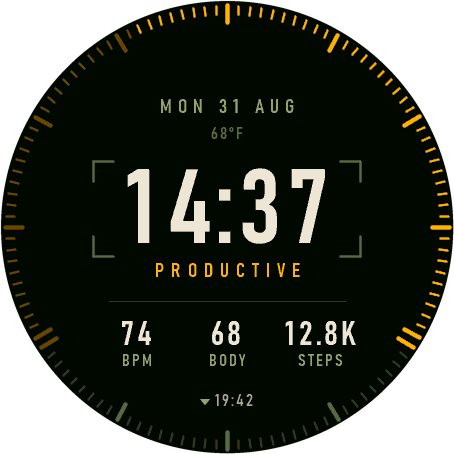
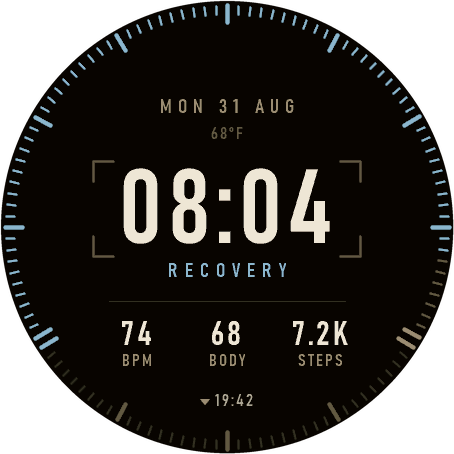
  • Recon in its nominal state with amber graduations round two thirds of the bezel
  • Recon with a dim completed run of graduations behind a brighter second pass
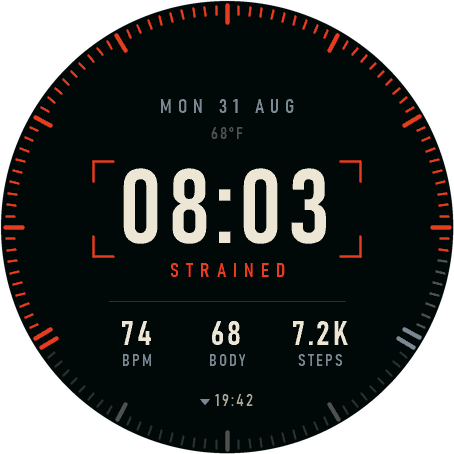
  • Recon in its warning state: red graduations, the word STRAINED, and a red corner reticle on cool gunmetal structure
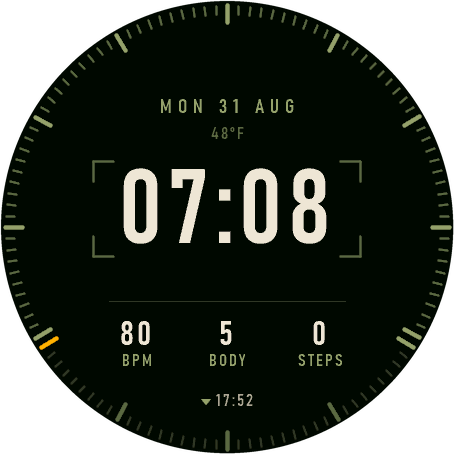
  • Recon with no step data, showing a single lit graduation at the start of the gauge
  • Recon with no step goal configured and no lit graduations
  • Recon in its standby state: steel-blue graduations and the word RECOVERY on warm sand structure
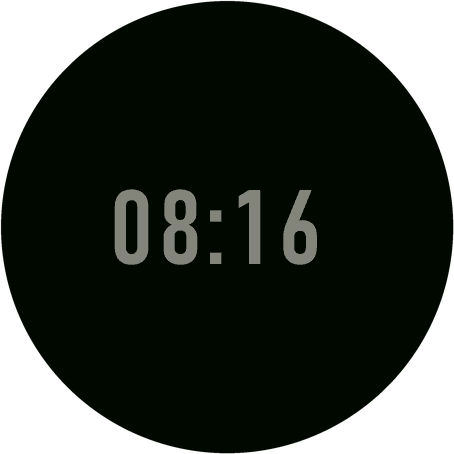
  • Recon in always-on mode showing only a dim time
Swipe, or use the arrows 01 / 07

Nine statuses, three colours

Nine colours can’t answer “is anything wrong?” at a glance. Three can. The status word under the time still says which one it is.

NOMINAL #FFB000

Fine. No-status lands here too, because the state the watch sits in before it has history shouldn’t look like a fault.

PeakingProductiveMaintainingNo status

Olive drab · #94A06B → #5F6947 → #323829 → #070806

STANDBY #8FB6CE

Idling on purpose. Unproductive sits here, not in warning: it means change something, not stop.

RecoveryDetrainingUnproductive

Warm sand · #9A8E70 → #635B47 → #343026 → #080706

WARNING #E33D24

Past a limit. Two statuses and no others, or red stops meaning anything.

StrainedOverreaching

Cool gunmetal · #7E8A92 → #4E575D → #2B3034 → #06080A

The version that didn’t work
#9FAA7C · the standby colour
#94A06B · the graduations behind it

Standby was a pale olive first. Same colour as the graduations, to the eye, so on standby days the gauge just stopped reading. Steel fixed it.

What changed between them

 ClayRecon
TypefaceCalibri, soft humanistBahnschrift, Windows’ cut of DIN 1451
FiguresProportionalTabular, so the clock never reshuffles
ClockFollows the device 12/24 settingAlways 24-hour, zero-padded
Step gaugeOne arc, rounded caps, gradient120 square graduations, flat fill
SunA dial painted as the skyThe time it happens, printed
PaletteNine warm rampsThree signals
FurnitureNoneA corner reticle, one hairline
Odds and ends

Things worth writing down.

Measured in the simulator on the worst case: strained, 160% of goal, all four font sheets loaded.

01

16.4KB

peak memory, of about 124KB

Memory is the real constraint on a watch face, not CPU. Clay peaked at 25.4KB.

02

~5×

faster frame than Clay

Clay’s sky dial was ~147 filled circles and about two thirds of its frame. Recon’s whole bezel is 120 line draws.

03

11

glyphs in the time font

Garmin ships no typeface worth using, so both faces subset a system font to a bitmap font. 0123456789: and nothing else.

Gotcha 01

The simulator won’t show you the interesting bits.

It reports no steps and no training status, and it keeps its own copy of your settings. Every screenshot here was made by hardcoding the state, building, shooting, and reverting.

Gotcha 02

Sideloading is over MTP, not a drive letter.

No shell can copy to the watch; it has to go through the Windows shell object. An empty apps folder is what success looks like, because the watch eats the file on disconnect.

Gotcha 03

Check the digits before you pick a font.

All ten need one top and one bottom. Candara was out because its 7 descends. And a subset draws a missing glyph as a tofu box, so the glyph set has to be exact.

Gotcha 04

Sensor history has sharp edges.

Ask for a single sample and you get an iterator that reports valid and yields nothing. And walk deep on heart rate, because the newest entries are usually an invalid-sample marker.

The other side project

Wayfarers →

Back to all work